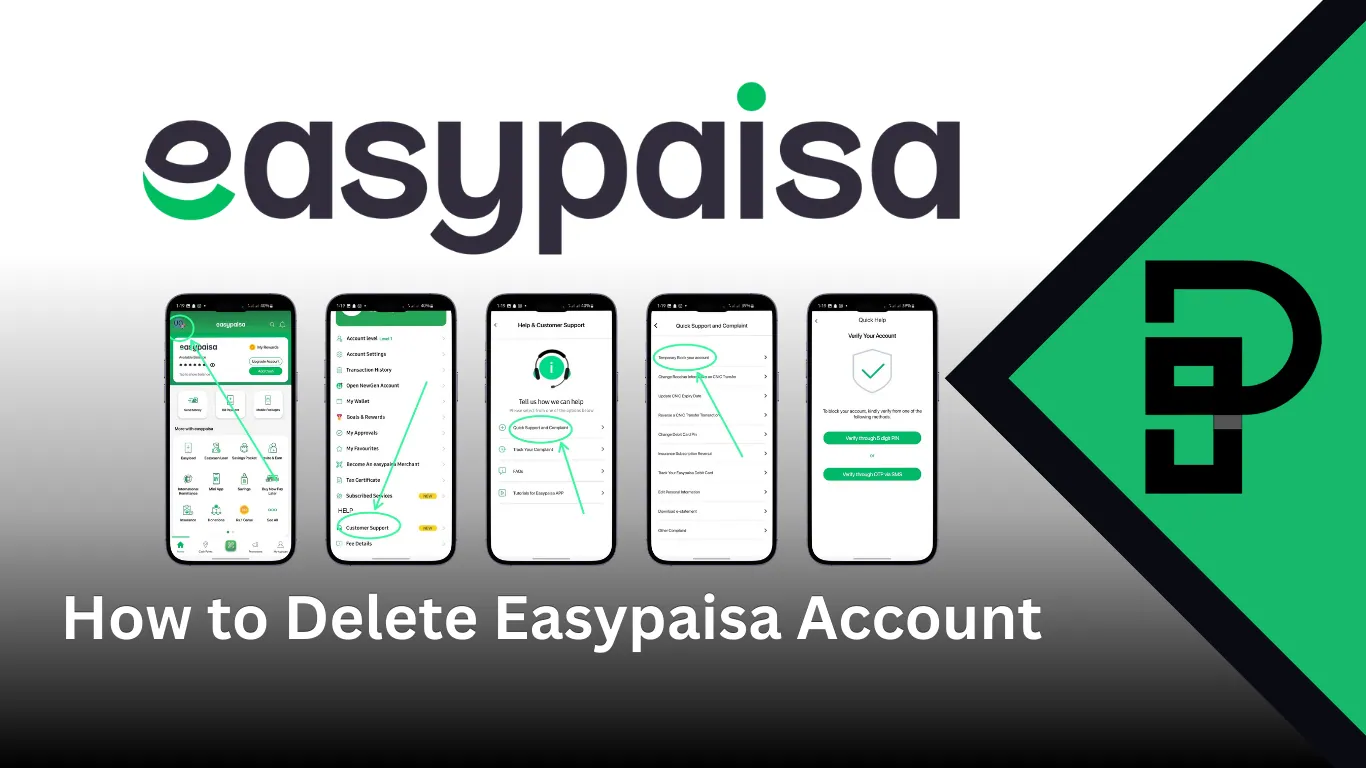
Introduction to Easypaisa
What Is Easypaisa?
Easypaisa is one of Pakistan's most popular mobile wallets. It allows users to send money, pay bills, recharge mobile balance, and even receive salaries—all from their phone. It operates under Telenor Microfinance Bank and has millions of users nationwide.
Think of it like a digital pocket in your phone. Convenient, fast, and accessible 24/7.
Why People Use Easypaisa in Pakistan
From utility bill payments to online shopping and money transfers, Easypaisa makes life easier. No long queues. No paperwork. Just a few taps.
But sometimes, you may decide it's time to say goodbye.
Reasons You Might Want to Delete Your Easypaisa Account
Why would someone delete their Easypaisa account? Let's be real—life changes.
Switching to Another Wallet
Maybe you prefer JazzCash. Maybe your bank app does everything now. Or maybe you just want fewer financial apps cluttering your phone.
Security or Privacy Concerns
If you suspect unauthorized access, closing your account might feel like the safest move.
Inactive or Duplicate Accounts
Many users accidentally create multiple accounts. That can cause confusion—and problems.
Lost SIM or CNIC Issues
Since Easypaisa links to your SIM and CNIC, losing access to either can complicate things.
⚠️ Important Warning
Account deletion is permanent. Once closed, your transaction history disappears. There's no undo button.
Things to Know Before Deleting Your Easypaisa Account
Before you rush to close it, pause. There are important steps.
Withdraw Your Remaining Balance
You cannot close your account if money is still inside. Transfer it to your bank or withdraw cash from an agent.
Clear Pending Transactions
Any pending bill payments or transfers must be completed.
Unlink Bank Accounts
If your account is linked with any bank, remove that connection first.
Understand Permanent Closure Policy
Account deletion is permanent. Once closed, your transaction history disappears. There's no undo button.
✅ Pre-Closure Checklist
- ✓ Withdraw all balance
- ✓ Complete pending transactions
- ✓ Unlink any connected bank accounts
- ✓ Save important transaction records
Can You Delete Easypaisa Account Online?
Is There a Delete Button in the App?
No. The Easypaisa app does not provide a direct "Delete Account" option.
Official Account Closure Policy
To close your account, you must contact customer support or visit a franchise. It requires identity verification.
Step-by-Step: How to Delete Easypaisa Account
📞 Method 1 – Call Easypaisa Helpline
This is the easiest method.
Easypaisa Helpline
from your Telenor number
or
from other networks
What to Say:
Tell the representative: "I want to permanently close my Easypaisa account."
Simple. Direct. Clear.
Verification Process
They will ask:
- Your CNIC number
- Date of birth
- Mother's maiden name
- Recent transaction details
Answer correctly. If verified, they will initiate account closure.
🏢 Method 2 – Visit a Telenor Franchise
Telenor Pakistan franchises can also process account closures.
Documents Required
- Original CNIC
- Registered SIM
In-Person Verification Process
The representative will verify your biometrics and submit a closure request. This method is useful if:
- Your SIM is blocked
- Helpline verification fails
- You face technical issues
How Long Does It Take to Close an Easypaisa Account?
Usually, 3 to 5 working days.
Sometimes faster. Sometimes slower—depending on verification.
📱 You'll receive confirmation via SMS.
What Happens After Deleting Your Easypaisa Account?
SIM Reactivation Issues
If your SIM remains active, you can register again later. But it will be treated as a new account.
Reopening an Easypaisa Account
Yes, you can reopen it—but you'll need to complete fresh registration and biometric verification.
Common Problems While Closing Easypaisa Account
Helpline Not Responding
Try calling during non-peak hours—early morning works best.
Account Linked to Lost SIM
If your SIM is lost, first visit your mobile network provider to recover it.
Biometric Verification Failure
Ensure your CNIC is valid and not expired.
Alternative Option – Deactivating Instead of Deleting
If you're unsure, simply:
- Remove funds
- Log out
- Uninstall the app
Sometimes distance is better than destruction.
Security Tips Before and After Account Deletion
🔒 Important Security Tips
- Change PIN before requesting closure
- Delete saved cards
- Remove linked devices
- Keep SMS confirmation for record
Think of it like locking your house before handing over the keys.
Conclusion
Deleting your Easypaisa account isn't complicated—but it isn't instant either. There's no magical delete button. You need to verify your identity and ensure your account is cleared before closure.
Whether you're switching wallets, solving security concerns, or just cleaning up your digital life, the process is straightforward.
Follow the steps carefully, and you'll be done within a few days.
Sometimes simplifying your financial life feels like decluttering your room. Less chaos. More clarity.
Frequently Asked Questions (FAQs)
1. Can I delete my Easypaisa account through the app?
No, account deletion is not available directly in the app.
2. Is there any fee for closing Easypaisa account?
No, account closure is free.
3. What happens to my transaction history after deletion?
It is permanently removed and cannot be recovered.
4. Can I reopen my Easypaisa account after deletion?
Yes, but you must complete new registration and biometric verification.
5. How do I close Easypaisa if I lost my SIM?
First recover your SIM from your network provider, then contact the helpline or visit a franchise.