1. Introduction
If your Easypaisa account is blocked, it can be stressful and frustrating — especially when you have money in it or need to make urgent digital payments. This guide shows you step-by-step how to unblock your account safely, with real, verified methods that work in 2026. By the end, you'll know why accounts get blocked, what options you have to unblock them, and crucial tips to avoid this issue in the future. Let's dive in.
2. What Is Easypaisa?
2.1 Definition and Overview
Easypaisa is Pakistan's most popular mobile wallet and digital payment service — backed by Telenor Microfinance Bank — that allows users to send money, pay bills, recharge phones, and more through their smartphone or USSD code. It links your wallet to your mobile number and CNIC securely, making it a digital substitute for traditional banking.
2.2 Why It's Widely Used in Pakistan
There are millions of Easypaisa users because it's convenient, fast, and doesn't require a traditional bank account. It works for both everyday consumers and businesses, especially where banking infrastructure is limited. Its widespread acceptance across Pakistan makes it a preferred financial tool for many.
3. Why Your Easypaisa Account Can Get Blocked
Understanding why your Easypaisa account is blocked helps you choose the right fix. Let's look at the major causes.
- Incorrect PIN Attempts – If you enter your PIN incorrectly too many times, the system will lock your account to protect it. This is one of the most common reasons accounts become blocked.
- Account Dormancy – Accounts that aren't used for a long time — especially over 90 days — may be marked as dormant or temporarily inactive until you verify your identity again.
- Security or Fraud Alerts – If Easypaisa detects suspicious or potentially fraudulent activity — like unusual transactions or repeated logins from different devices — your wallet could be blocked as a security precaution.
- KYC or Identity Issues – Your account is tied to your CNIC and mobile number. If your CNIC expires, or the SIM isn't registered under your name, Easypaisa may restrict access until proper documentation is provided.
- Device or Login Glitches – Sometimes technical issues — like app errors, corrupted install data, or biometric failures — can make it seem like your account is blocked. These can often be resolved with simple fixes.
4. Signs Your Easypaisa Account Is Blocked
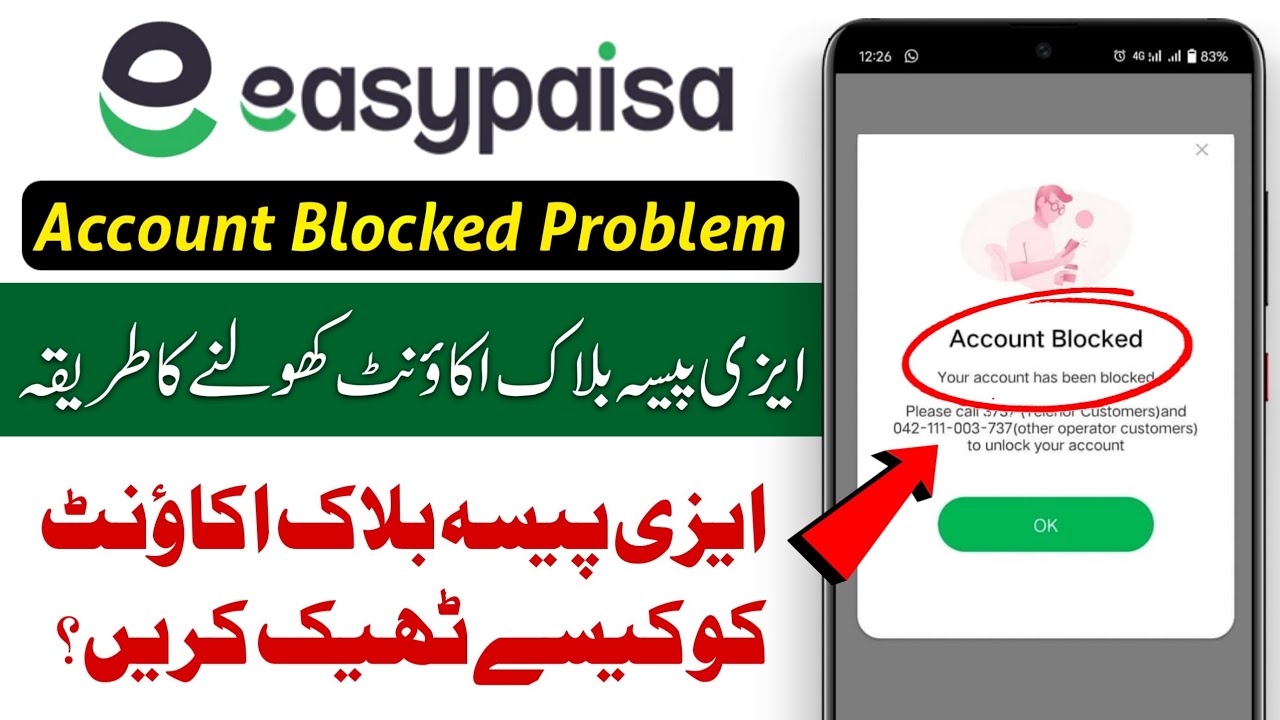
Message saying account is "blocked" when logging in
PIN entry no longer works or asks for reset
Push notifications about "security issues"
Inability to send money or access balance
📌 Important Note
This is different from a temporary login error — a true block will prevent regular access until fixed.
5. Official Ways to Unblock Easypaisa Account
There are safe, official methods to regain access — without risking your funds or privacy.
5.1 USSD PIN Reset Method
One of the simplest ways to unblock an account is by resetting your PIN via USSD:
- Dial *786*8*1# from your registered SIM
- Enter your 13-digit CNIC for verification
- Create a new 5-digit PIN
- Confirm it — this will reset your PIN and unblock access
5.2 Unblock via Easypaisa App
If you prefer the app:
- Open the Easypaisa app
- On the PIN screen tap "Forgot PIN"
- Enter your CNIC when asked
- Set a new PIN and confirm
- Sign in with the new PIN — access restored
This is especially useful when the block is just due to PIN issues or forgotten access.
6. Contacting Easypaisa Customer Support
If PIN resets don't work — or your account is blocked for security or verification reasons — contact Easypaisa support.
6.1 Call Helpline Numbers
Telenor SIM
3737
Other Networks
042-111-003-737
0341-1103737
complaints@easypaisa.com.pk
⚠️ Important
Tell them clearly: "My account is blocked. I need it unblocked." Have your CNIC and registered number ready — support will verify your identity.
7. Visit Easypaisa Retailer or Franchise
If support calls aren't helping, visiting a nearby Easypaisa retailer or bank branch is a strong option.
7.1 Why In-Person Verification Helps
Retailers and franchise staff can verify your identity in person using your CNIC — then update your account status and unblock it, especially if the issue is tied to KYC mismatches.
7.2 Required Documents
- Original CNIC
- Registered SIM under your name
- Any supporting documents supporting your issue
They'll assist with the reactivation process.
8. Advanced Troubleshooting Steps
8.1 Updating the App
An outdated Easypaisa app can fail to authenticate properly. Check for updates on Google Play Store or App Store before attempting login.
8.2 Reinstalling the App
Sometimes deleting and reinstalling the app clears login issues or corrupted cache, helping with unblock attempts.
9. Security Tips to Prevent Future Block Issues
- Never share your PIN or OTP
- Always use your registered phone
- Avoid suspicious login attempts
- Keep your CNIC and SIM details updated
- Enable app security like biometric lock
These steps reduce the risk of blocks and fraud.
10. What to Do With Funds in a Blocked Account
If money is stuck:
- Try a PIN reset immediately
- Contact support with evidence
- Visit a franchise for quicker access
If none work after repeated official attempts, escalate through email and support channels until resolved.
11. Common Mistakes to Avoid
- Trusting unofficial "agents" on social media
- Giving PIN or OTP to strangers
- Using VPNs or public Wi-Fi
- Ignoring CNIC/SIM mismatches
These often worsen account issues.
12. Preventive Maintenance for Accounts
Regular logins and occasional transactions keep your wallet active and prevent dormancy blocks. Also, update every detail promptly with Easypaisa when things change.
13. FAQs on Unblocking Easypaisa Account
Q1: Can I unblock without CNIC?
No — CNIC verification is essential for security and regulatory compliance.
Q2: Does unblocking take long?
PIN resets are instant. Support responses may take up to 48 hours.
Q3: Why did my account block without PIN errors?
Suspicious activity or outdated identity info can trigger blocks.
Q4: Will I lose my balance?
No — balance remains until you regain access.
Q5: Can public Wi-Fi cause blocks?
Yes — unsafe networks raise security alarms.
14. Conclusion
🎯 Final Verdict
Unblocking your Easypaisa account in 2026 is entirely possible using official methods. Whether it's a quick PIN reset via USSD or app, a call to support, or visiting a franchise, each step addresses common causes of blocks. Always protect your account with updated details and secure practices — and never trust unofficial agents. With the right approach, you'll be back using your digital wallet smoothly.