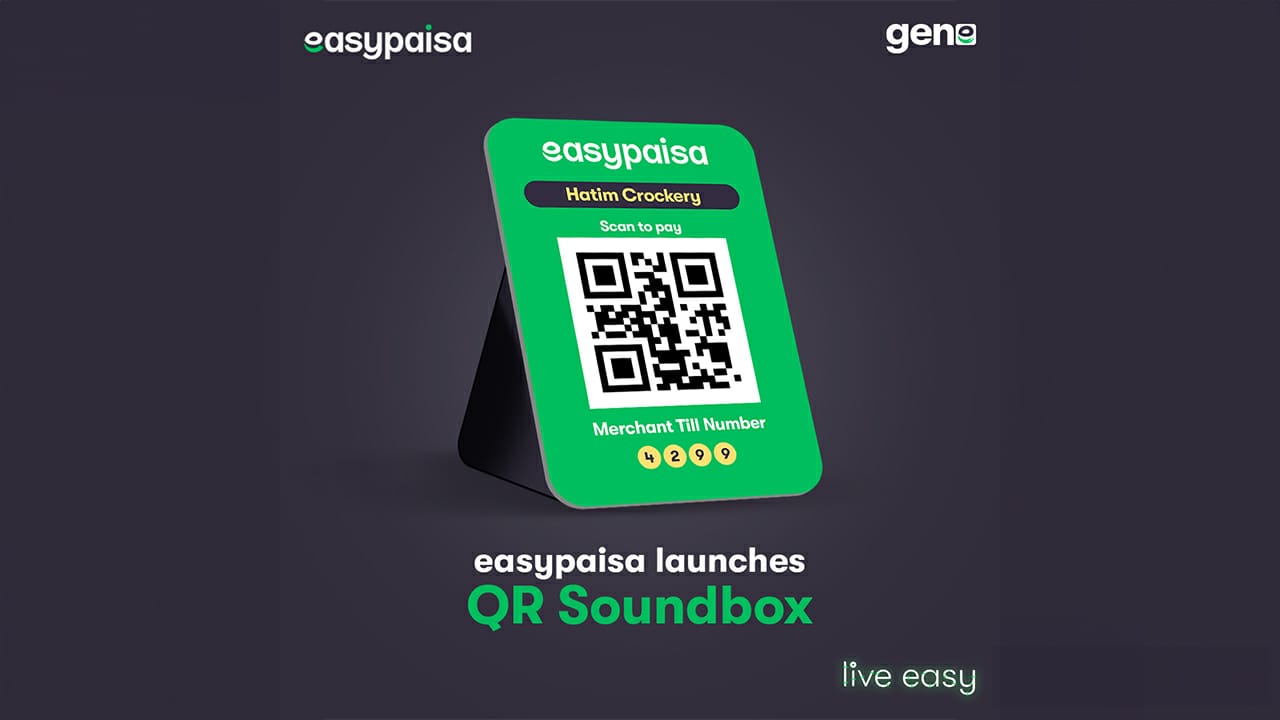
Digital payments are transforming how people send and receive money in Pakistan. Just a few years ago, most people relied heavily on cash. Today, mobile wallets like Easypaisa allow users to make instant payments simply by scanning a QR code. Imagine walking into a shop, scanning a code with your phone, and paying within seconds—no wallet, no ATM, no waiting. That's the power of QR-based payments.
Easypaisa has introduced a feature that allows users to send and receive money using QR codes. With this system, users can scan a QR code to transfer funds instantly or generate their own QR code to receive payments. The process is quick, secure, and requires nothing more than a smartphone and the Easypaisa app.
But here's the interesting part: many people think QR payments are complicated. In reality, creating and using an Easypaisa QR scanner takes only a few minutes. Whether you're an individual who wants to receive money easily or a business owner looking to accept digital payments, the process is straightforward.
This guide will walk you through exactly how to create, scan, and use Easypaisa QR codes for sending or receiving money, step by step.
What's in This Guide:
Understanding QR Code Payments in Easypaisa
What Is a QR Payment System?
A QR code payment system is a digital payment method where users transfer money by scanning a Quick Response (QR) code with their smartphone. Instead of typing account numbers or mobile numbers manually, the QR code stores payment details that are instantly recognized by the payment app.
Think of a QR code as a digital shortcut. When you scan it, your app automatically understands where the payment should go. All you need to do is enter the amount and confirm the transaction. This eliminates typing errors and makes payments incredibly fast.
In the case of Easypaisa, QR codes can be used for two main purposes:
- Sending money to another account
- Receiving money from others
When someone scans your QR code, their app already knows your account details. They simply enter the payment amount and send the money. This process usually takes less than 10 seconds.
The convenience of QR codes is one reason digital wallets are becoming increasingly popular worldwide. In Pakistan, the adoption rate has grown significantly as more people start using smartphones and digital banking services.
Why QR Payments Are Growing in Pakistan
Pakistan's digital payment ecosystem has evolved rapidly over the past few years. Easypaisa alone has tens of millions of registered mobile wallet users, helping drive the shift toward cashless transactions. [2]
Several factors are driving the growth of QR payments:
- Smartphone penetration – More people now have access to smartphones capable of running digital wallet apps.
- Convenience – QR payments eliminate the need to carry cash.
- Speed – Transactions happen instantly.
- Security – Payments are protected by PIN and biometric verification.
For small businesses, QR payments are revolutionary. Instead of buying expensive card machines, shop owners can simply print a QR code and place it on the counter. Customers scan it and pay instantly.
This simple system has turned smartphones into payment terminals.
How Easypaisa QR Code Payments Work
Your Personal Easypaisa QR Code
Scan this QR code to send money instantly
Sending Money via QR Code
Sending money through a QR code with Easypaisa is surprisingly simple. The process is designed so that even someone with minimal technical knowledge can complete a transaction easily.
Here's how the system works behind the scenes. When a person generates a QR code, it contains encoded information such as the receiver's wallet ID or account details. When another user scans this code using the Easypaisa app, the application automatically retrieves that information.
The sender doesn't need to type the recipient's phone number or account details manually. Instead, the app instantly identifies the recipient. This reduces the risk of sending money to the wrong account.
The basic steps include:
- Opening the Easypaisa app
- Selecting the Scan QR Code option
- Scanning the receiver's QR code
- Entering the payment amount
- Confirming the transaction
Once confirmed, the payment is processed instantly, and both the sender and receiver receive a digital confirmation.
Receiving Money via QR Code
Receiving money through a QR code is even easier than sending it. Instead of sharing your phone number repeatedly, you simply show your QR code to the sender.
In the Easypaisa app, users can generate a personal QR code linked to their account. This code can be shared in multiple ways:
- Displaying it on your phone screen
- Sending it through WhatsApp or social media
- Printing it for business use
When someone scans your QR code, they can instantly send money to your account.
This system works especially well for freelancers, small businesses, and individuals who frequently receive payments.
Requirements to Use Easypaisa QR Scanner
Essential Tools and Apps Needed
Before you can create or scan QR codes for payments, you need a few basic things.
- Smartphone with a camera – The camera is essential because it allows the app to scan QR codes.
- Easypaisa mobile application – Installed on your phone. Available for both Android and iOS devices.
- Active Easypaisa account – Linked to your mobile number. Registration usually requires your CNIC and phone verification.
Once these requirements are met, you can start sending or receiving QR payments immediately.
The beauty of this system is that it doesn't require extra hardware or expensive devices. Everything happens directly within the mobile app.
Account Verification and Security
Financial transactions require strong security measures. Easypaisa uses multiple layers of protection to ensure safe payments.
- Identity verification – Users must verify their identity using CNIC information during account creation. This helps prevent fraudulent accounts.
- PIN or biometric authentication – Every transaction requires a secure PIN or biometric authentication. Even if someone scans your QR code accidentally, they cannot complete a transaction without authorization.
- Instant notifications – Users receive instant transaction notifications and digital receipts, which help track payments and identify suspicious activity.
These security features ensure that QR payments remain both convenient and safe.
Step-by-Step Guide to Create Your Easypaisa QR Code
Method 1: Generate QR Code in Easypaisa App (Personal)
1 Open the Easypaisa App
Launch the Easypaisa app on your smartphone and log in to your account using your PIN or biometric authentication.
2 Tap on "Scan Code"
On the home screen, look for the Scan Code option and tap it. This will open the QR scanner interface.
3 Go to "Receive Money"
Within the Scan Code section, navigate to the Receive Money option. This is where your personal QR code is stored.
4 Your QR Code Will Appear
Your unique Easypaisa QR code will be displayed on the screen. This code is directly linked to your account.
5 Share or Save Your QR Code
You can now share this QR code with others, save it to your phone, or even print it for business use.
Method 2: Create QR Code for Business (Merchant Account)
If you run a shop or online business, you can create a merchant QR code.
1 Register as a Merchant
Open Easypaisa app and go to merchant registration section. Submit your business details.
2 Provide CNIC Verification
Complete identity verification with your CNIC and business documents.
3 Get Your Merchant QR Code
Once approved, you'll receive a unique merchant QR code for your business.
4 Print and Display
Print the QR code and place it at your shop counter. Customers can scan it to pay instantly.
This system allows businesses to accept digital payments without purchasing expensive POS machines.
How to Scan a QR Code to Send Money
Step-by-Step Scanning Process
1 Open Easypaisa App
Launch the app and log in to your account.
2 Tap "Scan Code"
On the main dashboard, tap the Scan Code option. Allow camera access when prompted.
3 Point Camera at QR Code
Point your phone's camera at the QR code. Within seconds, the app will recognize the code and display the recipient's details.
4 Enter Payment Amount
You will be asked to enter the payment amount. The app shows a summary of the transaction.
5 Confirm Transaction
Enter your PIN or use biometric verification to confirm. The money is transferred instantly.
6 Get Digital Receipt
A digital receipt is generated and stored in the app for future reference.
Using QR Codes for Business Payments
Benefits for Small Businesses and Shops
Faster Transactions
No cash counting or change calculation. Scan and done.
Reduced Theft Risk
Less cash on premises means lower security concerns.
Easy Tracking
All transactions recorded automatically in the app.
No Card Machine
Just a printed QR code - no expensive equipment needed.
For small retailers, this system is a game-changer. A printed QR code on the counter can turn any smartphone into a payment terminal.
Payment Limits and Transaction Records
Easypaisa merchant accounts also provide transaction history and payment tracking features. Business owners can review their sales directly from the app.
This makes QR payments suitable not only for small shops but also for freelancers, service providers, and online sellers.
Security Tips for QR Payments
Avoiding Fraud and Scams
Avoid scanning QR codes from unknown sources or suspicious messages.
Best Practices for Safe Transactions
These simple habits can prevent most financial scams.
Future of QR Payments in Pakistan
The future of digital payments in Pakistan looks promising. With government initiatives like Raast and the rapid growth of mobile wallets, QR payments are expected to become a mainstream payment method.
More shops, restaurants, and online businesses are adopting QR payment systems every day. For consumers, this means faster and more convenient transactions.
In the near future, QR payments may replace cash for many everyday purchases.
Conclusion
Creating and using a QR scanner for Easypaisa payments is surprisingly simple. With just a smartphone and the Easypaisa app, anyone can send or receive money within seconds. The process eliminates the need for manual account entry, reduces errors, and makes transactions faster than traditional payment methods.
For individuals, QR codes make peer-to-peer transfers effortless. For businesses, they provide a low-cost way to accept digital payments without expensive equipment. As Pakistan continues to move toward a cashless economy, QR-based payments will likely become one of the most common ways people pay for goods and services.
📋 Key Takeaways:
- Create QR Code: Open app → Scan Code → Receive Money → Your QR appears
- Scan to Send: Open app → Scan Code → Scan QR → Enter Amount → Confirm
- Transaction Time: Less than 10 seconds
- Business Limits: Up to Rs. 500,000 per month for verified merchants
- Security: Always verify recipient and never share PIN
Learning how to generate and scan QR codes today puts you one step ahead in the world of digital finance.
[1] Source: Home easypaisa - Official Website
[2] Source: Fintech News Pakistan - Digital Wallet Statistics
[3] Source: Fintech News Pakistan - Raast Payment Integration
[4] Source: Easypaisa Official Documentation
[5] Source: Easypaisa Merchant Services
❓ Frequently Asked Questions (FAQs)
1. Can I create my own Easypaisa QR code?
Yes. You can generate a personal QR code inside the Easypaisa app under the Receive Money section.
2. Is there any fee for QR payments on Easypaisa?
In many cases, QR and Till payments are free for users within the Easypaisa app.
3. Can businesses accept payments through Easypaisa QR codes?
Yes. Businesses can register as Easypaisa merchants and receive a unique QR code for accepting customer payments.
4. Do I need internet to scan a QR code?
Yes. The Easypaisa app requires an internet connection to process the transaction.
5. Are QR payments safe?
Yes. Transactions are protected by PIN authentication, account verification, and digital transaction receipts.
6. Can I use the same QR code for multiple transactions?
Yes, your personal QR code is permanent and can be used for unlimited transactions.
7. What is the maximum amount I can receive via QR code?
For personal accounts, limits depend on your verification level. For merchants, limits can go up to Rs. 500,000 monthly.
8. Can I print my QR code?
Yes, you can save your QR code as an image and print it for business use.
9. What if someone scans my QR code by mistake?
They cannot complete a transaction without entering your PIN. Your money is safe.
10. Does QR code work for international payments?
Currently, Easypaisa QR codes work primarily within Pakistan for local transactions.