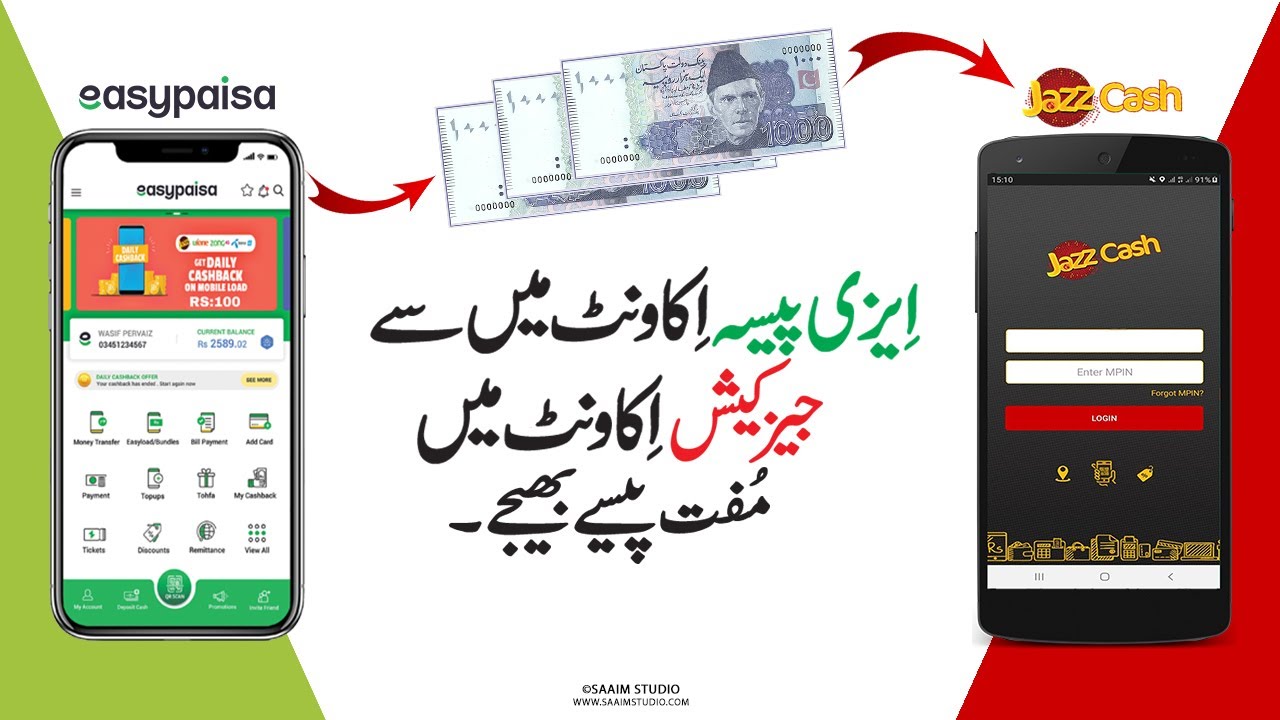
Digital wallets have completely transformed how people send and receive money in Pakistan. Instead of visiting banks or standing in long queues, people can now transfer funds instantly using mobile apps like Easypaisa and JazzCash. These platforms allow millions of users to pay bills, send money, shop online, and even receive government payments directly in their wallets. Over the past few years, mobile banking adoption in Pakistan has grown rapidly as more people rely on smartphones and digital financial services.
One of the most common questions people ask is how to transfer money from Easypaisa to JazzCash. This type of wallet-to-wallet transfer is very useful because many people use different mobile wallets depending on their mobile network or personal preference. For example, someone might receive money in Easypaisa but want to send it to a friend who uses JazzCash. The good news is that this process is simple and can be completed within minutes using either the Easypaisa app or the USSD code method.
In this complete guide, we will walk through everything you need to know about transferring money between these two platforms. You'll learn the step-by-step process, transfer limits, safety tips, and solutions to common problems. Whether you are new to mobile wallets or a regular user looking for quick instructions, this guide will help you send money smoothly and securely.
What's in This Guide:
Understanding Easypaisa and JazzCash Digital Wallets
Before learning the transfer process, it's important to understand what Easypaisa and JazzCash are and why they are so popular in Pakistan's digital finance ecosystem.
What Is Easypaisa and How It Works
Easypaisa is one of the most widely used mobile wallet services in Pakistan, originally launched by Telenor Microfinance Bank. The platform allows users to manage money directly from their phones without needing a traditional bank account. With Easypaisa, people can send money, pay bills, purchase mobile load, shop online, and receive payments quickly.
The wallet works by linking your mobile number with your CNIC and a secure PIN. Once registered, you can access your wallet through the Easypaisa mobile app or by dialing the USSD code. The system connects to Pakistan's digital banking infrastructure, making it possible to transfer funds instantly between users.
Because of its convenience, Easypaisa has become a key part of Pakistan's move toward digital finance. It enables millions of transactions daily and continues to expand its services with features like QR payments, savings accounts, and online shopping integrations.
What Is JazzCash and Its Key Features
JazzCash is another leading mobile wallet platform in Pakistan, operated by Mobilink Microfinance Bank. Similar to Easypaisa, JazzCash allows users to send money, pay utility bills, buy mobile packages, and conduct digital transactions using their smartphones or feature phones.
One of the biggest advantages of JazzCash is its wide network of agents across the country. These agents allow users to deposit or withdraw cash easily, even if they don't have access to banks or ATMs. JazzCash also offers services such as merchant payments, online shopping, and international remittances.
Like Easypaisa, JazzCash accounts are linked to a user's mobile number and protected with a secure PIN. This ensures that only the account owner can authorize transactions. Users receive instant SMS confirmations whenever money is sent or received.
Together, Easypaisa and JazzCash dominate Pakistan's mobile wallet market, making digital payments faster and more accessible. Many people have accounts on both platforms, which is why transferring money between them has become a common need.
Why People Transfer Money from Easypaisa to JazzCash
Digital wallet transfers are incredibly common today because people use different platforms depending on their needs and mobile networks. Sending money from Easypaisa to JazzCash often happens in everyday situations where quick financial transactions are required.
Common Situations When Wallet-to-Wallet Transfers Are Needed
Imagine a scenario where you receive your salary or freelance payment in your Easypaisa wallet. However, the person you want to send money to only uses JazzCash. Instead of withdrawing cash and depositing it again, you can simply transfer funds digitally within seconds. This saves time and eliminates unnecessary steps.
Another common situation involves family members living in different cities. Parents might send pocket money to their children using mobile wallets, while friends might split bills or share travel expenses using instant transfers. Digital wallets make these transactions extremely convenient.
Business owners also benefit from wallet-to-wallet transfers. Small online sellers frequently receive payments through Easypaisa or JazzCash, and they may need to send funds to suppliers who use a different wallet service.
Benefits of Digital Wallet Transfers in Pakistan
Mobile wallet transfers provide several advantages that traditional banking methods cannot match. They are fast, simple, and available at any time of the day. Users can complete transactions from their homes without visiting a bank or ATM.
Another major benefit is accessibility. Many people in Pakistan do not have bank accounts, but they do have mobile phones. Mobile wallets allow them to participate in digital financial systems easily.
Requirements Before Transferring Money
Before sending money from Easypaisa to JazzCash, there are a few basic requirements you should meet to ensure the process works smoothly.
Basic Requirements for Easypaisa to JazzCash Transfers
- Active Easypaisa account – Registered with your mobile number and CNIC, with enough balance to cover the amount you want to send.
- Verified account – If your account is new, you may need to complete verification steps before transferring funds.
- Active JazzCash account – The recipient must have an active JazzCash account with the correct mobile number.
- Internet connection – For app method; USSD method works without internet.
Transfer Limits and Security Rules
Mobile wallets have certain transaction limits designed to prevent fraud and protect users. For example, Easypaisa users can transfer up to PKR 200,000 per month depending on account level and verification status. [2]
Method 1: Transfer via Easypaisa App
The easiest way to send money from Easypaisa to JazzCash is through the official Easypaisa mobile application.
Step-by-Step Process Using the Mobile App
1 Open Easypaisa App
Launch the Easypaisa app on your smartphone and log in using your mobile number and PIN.
2 Tap on "Send Money"
From the main menu, select the "Send Money" option.
3 Choose "Mobile Account Transfer"
Select "Mobile Account Transfer" from the available options.
4 Enter Recipient's JazzCash Number
Enter the recipient's JazzCash mobile number carefully. Double-check to avoid errors.
5 Enter Amount
Type the amount you want to send and review the transaction details.
6 Confirm with PIN
Enter your Easypaisa PIN to confirm the transfer.
Tips for Safe Transactions
- Always double-check the recipient's number before confirming the transaction.
- Avoid sending money over public Wi-Fi networks, as they may expose your account to security risks.
- Use a secure internet connection to ensure your transaction remains private and protected.
Method 2: Transfer Using USSD Code (*786#)
If you don't have a smartphone or internet access, you can still transfer money using the Easypaisa USSD code method.
Step-by-Step Guide for Non-Smartphone Users
1 Dial *786#
Open the dial pad on your phone and dial *786# from your registered Easypaisa number.
2 Select "Send Money"
From the menu, select the "Send Money" option by typing the corresponding number.
3 Choose "Mobile Account"
Select "Mobile Account" from the options.
4 Select JazzCash
Choose JazzCash from the list of mobile wallets.
5 Enter Recipient's Number
Enter the recipient's JazzCash mobile number.
6 Enter Amount
Type the amount to transfer.
7 Confirm with PIN
Confirm the details and enter your Easypaisa PIN.
Fees, Charges, and Transfer Limits
One of the reasons digital wallets are so popular is their affordability. In many cases, transfers between Easypaisa and JazzCash are either free or involve minimal charges depending on the promotion or account type.
| Feature | Easypaisa to JazzCash |
|---|---|
| Transfer Speed | Instant or within seconds |
| Monthly Transfer Limit | Up to PKR 200,000 depending on account level |
| Required Information | Recipient mobile number |
| Security | PIN verification and SMS confirmation |
These features make mobile wallets highly efficient compared to traditional bank transfers, which may take longer and involve additional fees.
Transaction Limits Explained
Transaction limits vary depending on your wallet level. Basic accounts usually have lower limits, while fully verified accounts allow higher transaction amounts. Users who frequently send money can upgrade their account verification to increase these limits.
Common Problems During Easypaisa to JazzCash Transfers
Although mobile wallet transfers are usually smooth, users sometimes face issues such as delayed transactions or incorrect transfers.
What to Do If Money Is Not Received
If the receiver does not get the money immediately, the first step is to check your transaction history in the Easypaisa app. Most transfers appear instantly, but occasional delays may occur due to network or system issues.
Users should also avoid sending money to unknown numbers or suspicious accounts. Double-checking details before confirming the transfer helps prevent mistakes.
Security Tips When Sending Money
Digital payments are convenient, but they also require responsible use to stay safe from scams.
Avoiding Fraud and Scams
Future of Mobile Wallet Transfers in Pakistan
Mobile wallet services are expected to grow rapidly as Pakistan continues its digital transformation. With increasing smartphone usage and better internet connectivity, more people are adopting digital payments for everyday transactions.
Government policies and financial regulations are also supporting this growth. Digital wallets are being integrated with banking systems, payment gateways, and government programs to make financial services more accessible.
Conclusion
Transferring money from Easypaisa to JazzCash is a quick and simple process that can be completed in just a few steps. Whether you use the Easypaisa mobile app or the USSD code method, the transaction usually takes only seconds. This convenience has made mobile wallets an essential part of everyday financial life in Pakistan.
📋 Key Takeaways:
- Two Methods: Easypaisa App or USSD (*786#)
- Transfer Speed: Instant (under 10 seconds)
- Monthly Limit: Up to PKR 200,000
- Requirements: Active accounts, recipient's number, PIN
- Security: Never share PIN/OTP, verify recipient
By understanding the requirements, transfer limits, and security practices, users can send money safely and efficiently. Digital wallets continue to evolve with new features and improved security, making them one of the most reliable ways to manage money today.
[1] Source: ADP - Financial Inclusion Programs Pakistan
[2] Source: Pak Tarrif - Mobile Wallet Limits
[3] Source: SBP Regulations - Cooling Period for New Beneficiaries
[4] Source: Sekho.com.pk - USSD Transfer Guide
❓ Frequently Asked Questions (FAQs)
1. Can I transfer money from Easypaisa to JazzCash instantly?
Yes, most transfers are processed instantly once the transaction is confirmed.
2. What information is needed for Easypaisa to JazzCash transfer?
You only need the recipient's JazzCash mobile number and the amount you want to send.
3. Is there a fee for transferring money between wallets?
Fees depend on the promotion or account type, but many transfers are free or involve minimal charges.
4. What should I do if I send money to the wrong number?
Contact Easypaisa customer support immediately with your transaction ID to request assistance.
5. Can I transfer money without a smartphone?
Yes, you can dial *786# on your phone and follow the USSD menu to send money.
6. What is the maximum amount I can transfer?
Monthly limit is up to PKR 200,000 depending on your account verification level.
7. Is there a cooling period for new recipients?
Yes, SBP has introduced a two-hour cooling period for new beneficiaries to prevent fraud.
8. Will I get confirmation after transfer?
Yes, both sender and receiver receive instant SMS confirmation.
9. Can I cancel a transfer after sending?
Transfers are instant and cannot be cancelled. Always double-check details before confirming.
10. Are mobile wallet transfers safe?
Yes, when you follow security best practices like never sharing PIN/OTP and verifying recipient details.